The Illusion of the "Morning Person"
For decades, I was absolutely convinced that some people were simply born with a magical "morning gene." You know the type: the ones who effortlessly bound out of bed at 5:30 AM, sip hot lemon water, and finish a 5k run before the sun even fully crests the horizon. Meanwhile, my reality looked drastically different. My mornings consisted of a brutal, soul-crushing battle against the snooze button. I would set five different alarms, each five minutes apart, tricking myself into believing that tomorrow would be the day I finally woke up on the first ring. It never was.
I tried everything. I bought those expensive sunrise simulation alarm clocks, I downloaded apps that forced me to solve complex math problems to silence them, and I even tried placing my phone across the room. Nothing worked long-term. Willpower is a finite resource, and at 6:00 AM, my willpower tank was completely empty. I realized that if I wanted to change my life, I couldn't rely on motivation. I needed a system. I needed something that would physically and psychologically force me into productivity without requiring a single ounce of early-morning willpower. That is when I stumbled upon a seemingly insignificant $30 tech combination that completely changed the trajectory of my daily life.
The Core Problem: Sleep Inertia and Decision Fatigue
Before we dive into the exact $30 solution, it is crucial to understand why we fail at mornings in the first place. The scientific culprit is something called sleep inertia. This is the groggy, disoriented state you experience immediately upon waking. When your alarm jolts you out of a deep sleep cycle, your brain is quite literally impaired. Decision-making skills are at their lowest point of the entire 24-hour day. When your phone asks you, "Do you want to wake up and face the world, or do you want to stay in this warm, comfortable cocoon for nine more minutes?" your sleep-drunk brain will choose the cocoon every single time.
Compound this with decision fatigue. If the first thing you have to do upon waking is make a series of decisions—Should I make coffee? What should I wear? Should I turn on the lights?—your brain gets overwhelmed. The secret to a perfect morning routine isn't trying harder; it's eliminating the need to try at all. You need to automate the environment so that the path of least resistance is waking up and starting your day.
The Reveal: My $30 Smart Home Secret Weapon
When most people hear "smart home automation," they immediately envision thousands of dollars spent on complex wiring, smart hubs, and expensive voice assistants. But my life-changing setup costs exactly $30 and requires absolutely no electrical skills. Here is the magic formula:
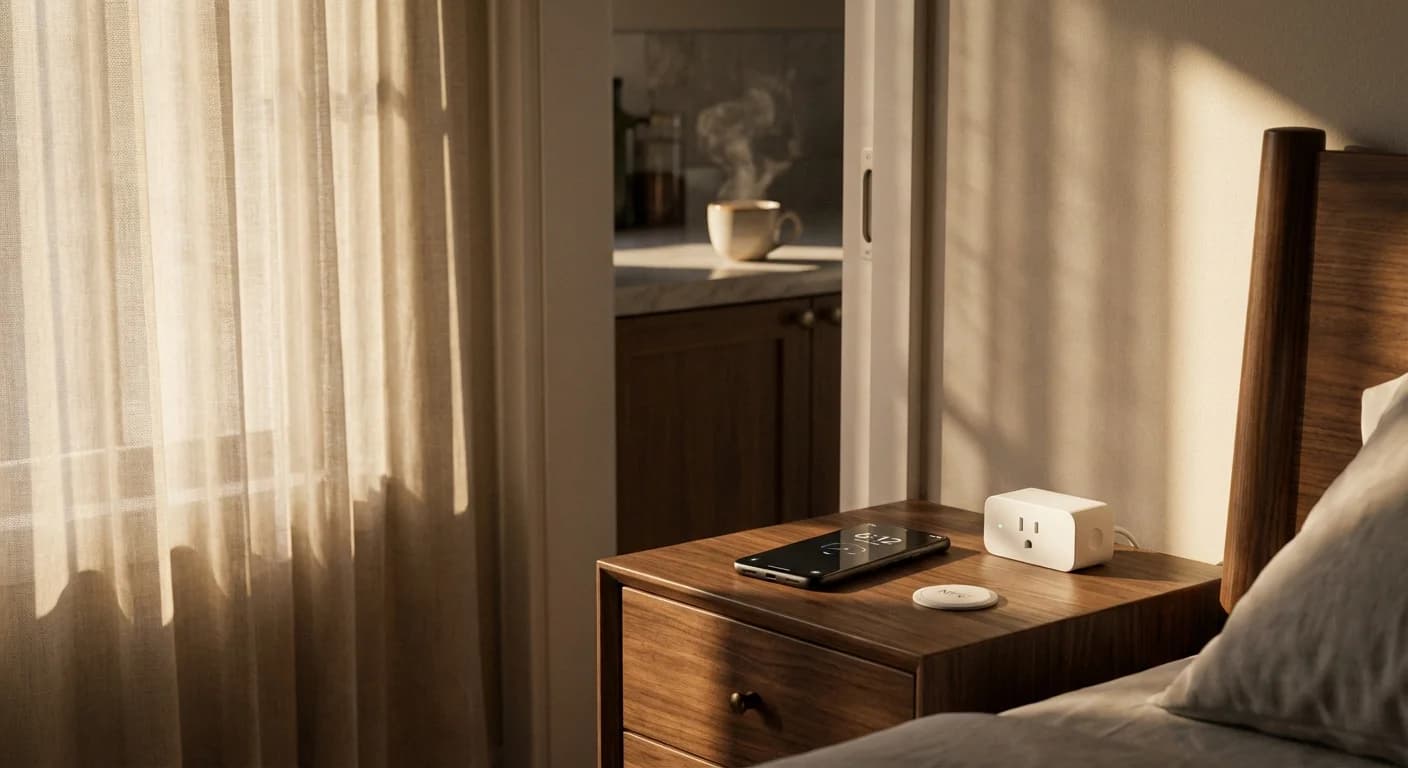
- One Wi-Fi Smart Plug (approx. $15): A simple plug that connects directly to your home Wi-Fi and can be controlled via an app on your phone.
- A Pack of Programmable NFC Tags (approx. $15 for a pack of 20): Tiny, unpowered stickers that contain microchips. When you tap your smartphone against them, they trigger a specific action on your device.
That is it. For the price of a few artisanal lattes, I built a morning ecosystem that physically compels me out of bed and warmly welcomes me into my day. Let me explain exactly how these two incredibly cheap pieces of technology work together to orchestrate the perfect morning.
Phase 1: The Aromatic Nudge
The night before, I prep my standard, "dumb" coffee maker. I fill it with water, add the grounds, and turn the physical switch to the 'ON' position. However, it is plugged into my $15 Wi-Fi Smart Plug. Using the free app that came with the plug, I set an automatic routine: Turn power ON at 5:45 AM. At exactly 5:45 AM, the plug clicks on, allowing electricity to flow to the coffee maker. It begins brewing automatically.
By 5:55 AM, the unmistakable, rich aroma of freshly brewed coffee begins wafting down the hallway and slipping under my bedroom door. I haven't even opened my eyes yet, but my brain is already receiving positive sensory signals that morning has arrived. Instead of a blaring digital siren, my first wake-up cue is the scent of a fresh roast.
Phase 2: The Forced Bathroom Walk
At 6:00 AM, my actual smartphone alarm goes off. Now, remember my historical habit of snoozing? This is where the $15 NFC tags come in. I use the "Shortcuts" app on my iPhone (Android users can use Tasker or built-in Routines). I programmed a specific automation: The only way to silence my morning alarm is by physically tapping my phone to a specific NFC tag.
Where is this tag? It is firmly stuck to the mirror in my master bathroom. I cannot swipe to dismiss the alarm. I cannot turn down the volume. The alarm will continue to ring relentlessly until I physically throw off the covers, walk across the bedroom, step into the bathroom, and tap my phone against the mirror. By the time I have walked those twenty steps, the sleep inertia is breaking. I am vertical, my blood is circulating, and I am out of the bed. The battle is won.
Phase 3: The Domboino Effect
Because I am already standing in the bathroom, staring at the mirror, the next logical step is to turn on the bathroom light and splash water on my face. Then, because the coffee is already brewed and waiting for me (thanks to the smart plug), the next logical step is to walk to the kitchen and pour a cup. I have completely bypassed the internal debate of "should I stay in bed?" by manipulating my environment to make waking up the easiest option.
Cost and Value Breakdown
If you are skeptical about how cheap this is, here is the exact breakdown of the items I purchased to create this system:
| Item | Description | Estimated Cost |
|---|---|---|
| Wi-Fi Smart Plug | Standard 15A smart plug compatible with Alexa/Google (e.g., Kasa, Wyze) | $15.00 |
| NFC Tags (NTAG215) | Pack of 20 adhesive tags, programmable via smartphone | $15.00 |
| Smartphone | Used to program shortcuts and scan tags (Already Owned) | $0.00 |
| Standard Coffee Maker | Any basic coffee maker with a physical on/off switch (Already Owned) | $0.00 |
| Total Investment | A permanently fixed morning routine | $30.00 |
Supercharge Your New Morning Routine
Combine your optimized smart home setup with this revolutionary soundwave technology designed to activate your mind's true potential and skyrocket your early-morning productivity.
Learn MoreStep-by-Step Setup Guide: How to Program Your $30 System
Ready to try this yourself? It is incredibly simple and takes less than 10 minutes to configure. Here is how you do it:
Setting up the Smart Plug (The Coffee Automation)
1. Plug your Wi-Fi smart plug into the wall outlet nearest your coffee maker.
2. Download the manufacturer's app (such as Kasa, Smart Life, or Wyze) and follow the on-screen instructions to connect the plug to your home Wi-Fi network.
3. Plug your coffee maker into the smart plug. Prepare your coffee (water and grounds) and flip the coffee maker's physical switch to the "ON" position.
4. In the smart plug app, navigate to "Routines" or "Schedules" and create a new rule: Turn ON at your desired pre-wake time (e.g., 15 minutes before your alarm).
Setting up the NFC Tag (The Forced Wake-Up)
For iPhone Users:
1. Open the built-in "Shortcuts" app and tap on the "Automation" tab at the bottom.
2. Tap the "+" icon to create a new Personal Automation, scroll down, and select "NFC".
3. Tap "Scan" and hold your iPhone near the NFC sticker you want to use. Name it "Bathroom Mirror".
4. Tap "Next" and add an action. Search for "Toggle Alarm" or use it to stop specific playing media. (Pro tip: You can also use third-party apps like "Alarmy" which natively support NFC scanning to turn off alarms!).
For Android Users:
1. Download an automation app like "Tasker" or "Macrodroid" (or use Samsung's built-in Modes and Routines).
2. Set the trigger to "NFC Tag Scanned" and tap your tag.
3. Set the resulting action to dismiss your alarm, play an uplifting morning playlist, or turn on the smart lights.
The Ripple Effect on Productivity and Mental Health
Implementing this $30 upgrade didn't just help me wake up earlier; it fundamentally shifted my mental health. Waking up to a blaring alarm and immediately hitting snooze starts your day with a failure. You are literally breaking a promise to yourself in the first ten seconds of consciousness. This sets a subtle, negative psychological tone for the rest of the day.
Conversely, waking up to the smell of coffee, walking to the bathroom, and completing the very first task of the day (scanning the tag) builds immediate positive momentum. I now have an extra hour every single morning. I use this time to read, meditate, and organize my thoughts before the chaotic demands of emails and text messages begin. That extra hour compounds over weeks, months, and years, creating a massive competitive advantage in life and business. It is astonishing to think that this level of personal transformation was locked behind a $30 hardware purchase.
Frequently Asked Questions (FAQ)
1. Do I need a smart home hub like SmartThings or Home Assistant to do this?
Not at all! The beauty of this specific setup is its simplicity. The Wi-Fi smart plug connects directly to your home router, and the NFC tags interact directly with your smartphone via Bluetooth/NFC. No expensive centralized hubs are required.
2. Will this work if my Wi-Fi goes down overnight?
The NFC tag alarm system relies entirely on your phone, so that will work flawlessly regardless of internet connectivity. However, the smart plug does require Wi-Fi to trigger the automated coffee brewing. If your Wi-Fi is down, you will still be forced out of bed by the NFC alarm, but you might have to hit the coffee button manually.
3. My coffee maker has a digital display and buttons. Will the smart plug work?
Generally, no. Smart plugs only control the flow of electricity to the device. If your coffee maker requires you to push a digital button after it receives power, the smart plug won't be able to brew the coffee. You need a simple coffee maker with a mechanical toggle switch that stays physically clicked in the "ON" position.
4. Can I reuse or reprogram the NFC tags later?
Yes! The standard NTAG215 chips can be rewritten thousands of times. If you decide you want the tag to trigger your living room lights instead of your alarm later on, you can easily overwrite the automation in your phone's shortcut settings.
5. What if I sleep through the alarm because my phone is in the other room?
Your phone should still be in your bedroom, loudly ringing! The trick is that the *dismissal mechanism* (the NFC tag) is in another room. Keep your phone on your nightstand so it wakes you up, but you will still have to grab it and walk to the bathroom to tap the tag and silence the noise.